
Microsoft quietly added something to Copilot that most people don't know exists yet. I've been working with it for a while now, and I think it's the most meaningful shift in how we can use AI at work since Copilot launched.
It's called Copilot Cowork — and here's the difference in one sentence: Copilot answers your questions and helps you draft things. Cowork actually does the work. Scheduling meetings, searching your entire Microsoft 365 environment, building presentations, notifying your team — all from a single plain-language prompt, without opening a single extra app.
I built a course around it because I genuinely believe this tool changes something fundamental about how we spend our time at work. Right now, most people use AI to get better answers. Cowork lets you delegate the work entirely — and come back to a finished result. That shift in how you relate to your tools is what this course is really about.
SIGN ME UP FOR COPILOT COWORK ESSENTIALS
What's an email course?
If you haven't taken one before — it's exactly what it sounds like. One email a day, one concept per email, nothing to log into, no videos to sit through, no platform to navigate. Just your inbox.
I designed it to feel like the 🧭 Microsoft 365 Compass🧭. Same tone, same format, same focus on practical over theoretical. If you're already a subscriber, you'll feel right at home.
What you'll walk away with
By the end of the 7 days, you won't just know what Cowork is — you'll be able to use it. Specifically, you'll know how to run real multi-step workflows across your Microsoft 365 environment from a single prompt, how to build your own Custom Skills that automate your repetitive processes, and how to decide when Cowork is the right tool and when it isn't. That last one matters as much as the rest.
What's inside
7 emails over 7 days. Each one is short enough to read in under five minutes. Here's what we cover:
- What Cowork is and how it differs from the Copilot you already use
- Running your first Cowork task from a single prompt — no app switching
- How to write prompts that keep you in control at every step
- A six-step workflow across five Microsoft 365 apps from one instruction
- The 13 built-in Skills that power Cowork automatically
- How to build your own Custom Skills for repetitive work
- Cowork on mobile, plugins, and where the platform is headed
Before you enroll
To apply what's taught in this course, you'll need an active Microsoft 365 Business or Enterprise subscription and a dedicated paid Microsoft 365 Copilot Chat licence. If you're unsure whether your organisation has these in place, check with your IT department before purchasing.
Not sure if Cowork is something you need?
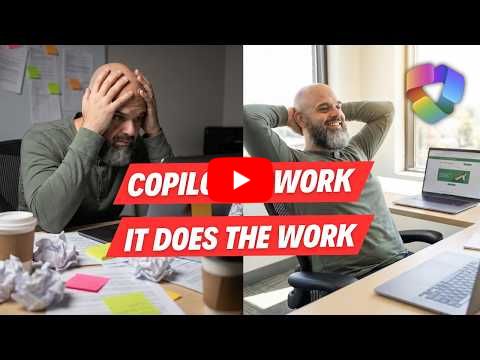
I recently published a YouTube tutorial where I demonstrate Cowork from scratch — what it is, how to access it, and what it looks like when you give it a real task. Watch it first, get a feel for the tool, and come back when you're ready.
|
🎉 Launch Price: $9.99 This is an introductory offer. The price will increase once the launch period ends. Lock in your access today.
SIGN ME UP FOR COPILOT COWORK ESSENTIALS
As always, hit reply if you have any questions. I read every message.
Until next time,
Lui


Responses